

SketchUp 2027 is out with non-destructive Procedures and section hatches, and a new Revit importer that turns classified SketchUp geometry into native Revit elements.
Trimble announced SketchUp 2027 and the SketchUp Importer for Revit on 10 November. Official documentation now covers installing and using the importer. It is included at no extra cost with SketchUp Pro Advanced Workflows or Studio, and it runs on Windows only.
Why it matters for designers
Moving a SketchUp concept into Revit often means redrawing walls and openings. A classified import can cut that rework, but only if the model is organised first. Test it on a small project, and remember it needs a Pro Advanced Workflows or Studio subscription plus a Windows Revit licence.
Has anyone run a real project through the importer yet? Did the walls and openings come in cleanly, or did you still have to rebuild parts?
Russian version: https://bim3d.org/threads/sketchup-2027-procedury-i-importer-v-revit-dla-nativnyh-elementov.414/
Trimble announced SketchUp 2027 and the SketchUp Importer for Revit on 10 November. Official documentation now covers installing and using the importer. It is included at no extra cost with SketchUp Pro Advanced Workflows or Studio, and it runs on Windows only.
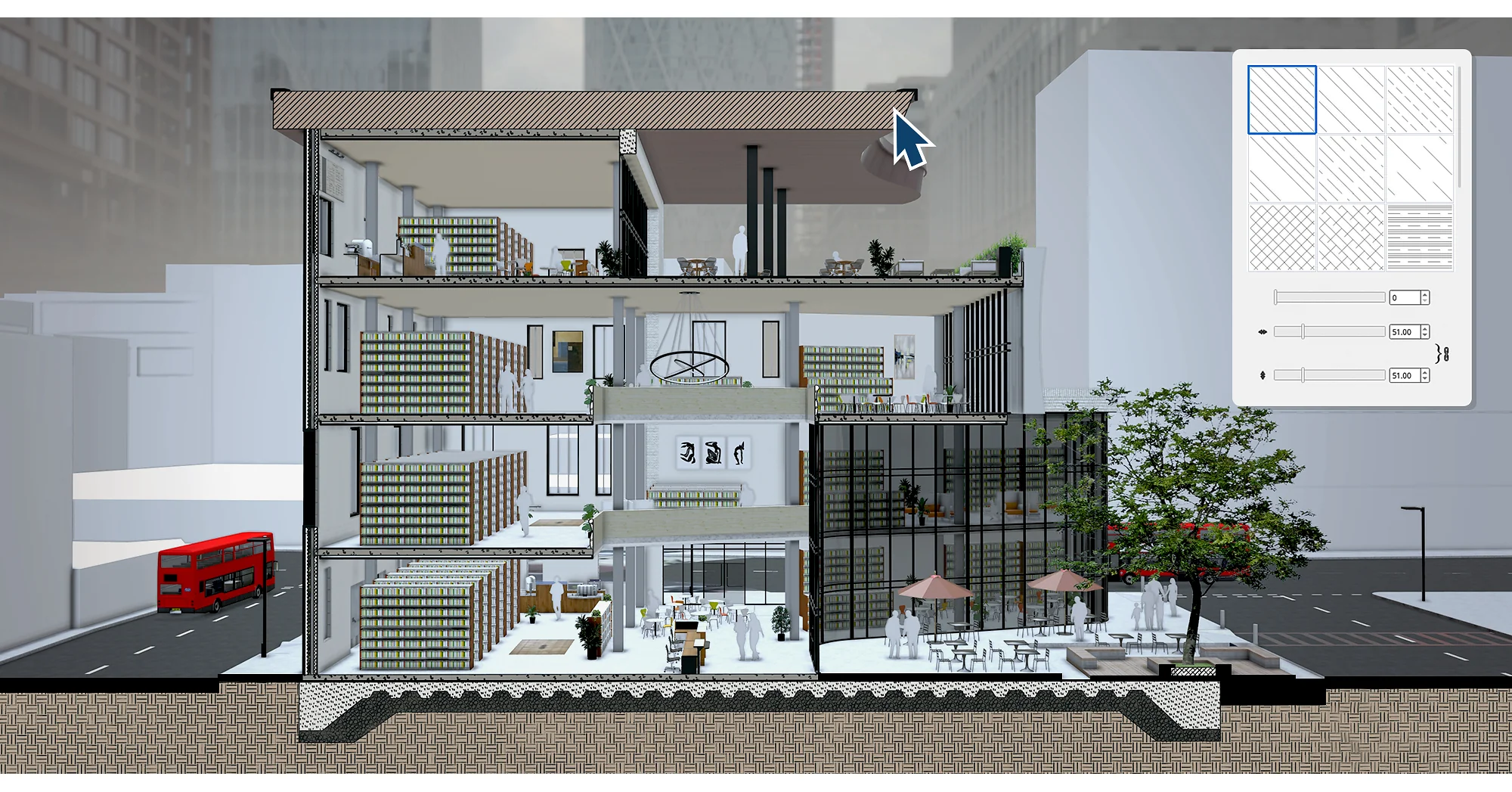
SketchUp 2027 section hatch on a building cutaway
SketchUp 2027 section view of a mixed-use building with hatch patterns on cut materials...
- Procedures are a non-destructive modelling system: you can change inputs later without rebuilding the model, and procedures can be stacked for more complex assemblies.
- Section hatch patterns can be applied to section fills, so cut materials such as brick, concrete and insulation read more clearly in drawings.
- The Revit importer converts classified SketchUp components into native walls, floors, doors, windows, ceilings, roofs and curtain walls, which can then be edited, scheduled and documented in Revit.
- Other geometry comes in as loadable families or precise meshes in a chosen category. Meshes keep shape, materials and placement, but they are not editable.
Why it matters for designers
Moving a SketchUp concept into Revit often means redrawing walls and openings. A classified import can cut that rework, but only if the model is organised first. Test it on a small project, and remember it needs a Pro Advanced Workflows or Studio subscription plus a Windows Revit licence.
Has anyone run a real project through the importer yet? Did the walls and openings come in cleanly, or did you still have to rebuild parts?
Russian version: https://bim3d.org/threads/sketchup-2027-procedury-i-importer-v-revit-dla-nativnyh-elementov.414/
Last edited: